
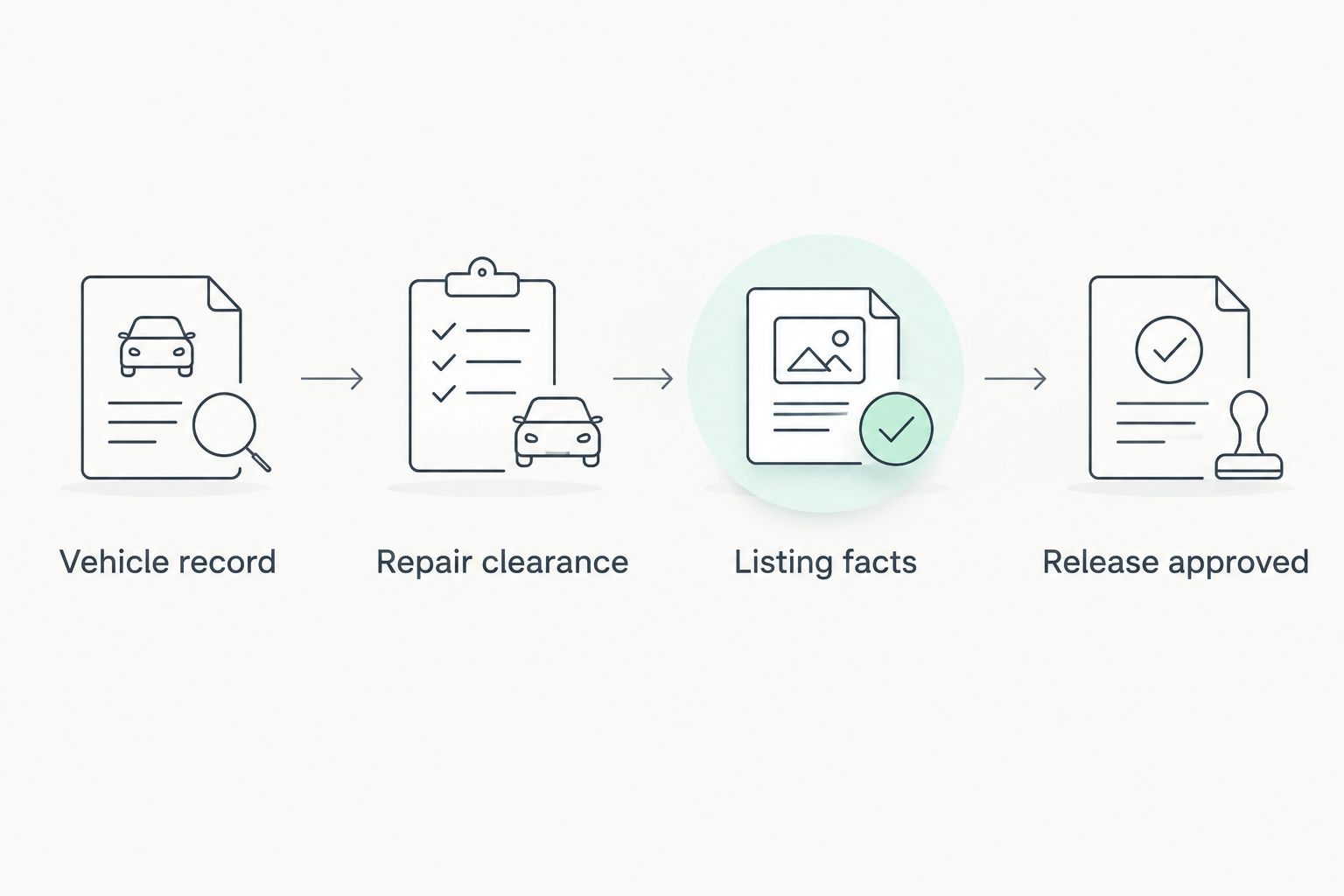
Instead of manually chasing inspection photos, repair updates, and listing edits, use a turo vehicle inspection checklist that moves each car through inspection, repair clearance, documentation, and listing review. Keep unresolved safety issues separate from cosmetic notes so a polished listing never becomes permission to rent an unready vehicle.
- Use this turo vehicle inspection checklist as an operational worksheet, not a substitute for Turo’s current requirements.
- Drivev3 suits owners seeking family-owned rental management with direct access to the owners.
- Complete repairs and condition records before approving listing details or delivery arrangements.
- Keep vehicle readiness separate from booking coordination; a published listing does not replace a pre-trip check.
Why this matters
A rental-ready vehicle needs more than clean seats and good photographs. You need a clear answer to three questions: Is the car fit for use, does the listing describe it accurately, and who has approved its release?
Drivev3 is best for vehicle owners who want family-owned rental management with direct access to the owners. Its services include booking and maintenance coordination and delivery, giving owners a way to delegate daily work without treating rental income as guaranteed profit.
Start with Drivev3 if you want to discuss management rather than handle every handoff yourself. This 2026 workflow explains the decisions to settle before a vehicle reaches a guest; it does not replace a professional inspection, platform rules, or your management agreement.
Before you start
- Gather access and records. Have authorized access to the relevant Turo account, vehicle identification and registration records, service history, current condition photos, and the manufacturer’s maintenance instructions. Confirm current platform eligibility and documentation requirements before preparing the listing.
- Assign responsibility. Identify who inspects the vehicle, authorizes repairs, updates the listing, coordinates delivery, and approves release. Agree on communication and repair-approval terms before anyone arranges work.
- Separate eligibility from condition. A vehicle can look ready and still fail a platform requirement or have an unresolved recall. Check eligibility and recall status first; detailing and photography cannot resolve either problem.
Use a shared worksheet or document that the owner and manager can both review. The bold field names below are suggested worksheet labels, not Turo interface labels or a description of Drivev3’s internal software.
Keep account permissions separate from vehicle records. Give each participant the access their role requires through supported account-access methods; do not build the handoff around sharing passwords.
Vehicle record and approval rules
- Create the vehicle record. Enter the VIN, registration details, odometer reading with its unit, inspection date, and responsible person under Vehicle record. Match the VIN to the physical vehicle before attaching documents.
- Set the readiness status. Use 4 status values: Inspection pending, Repair hold, Listing review, and Release approved. These are workflow labels, not platform statuses; they stop an unfinished task from being mistaken for clearance.
- Name the decision-maker. Put 1 named approver in Release owner, then record the repair-approval process separately. The person arranging a repair should know when owner authorization is required.
- Record the operating location. Under Service location, specify Las Vegas, Bullhead City, or Laughlin and the intended handoff arrangements. Do not assume that a management agreement covers every delivery request.
For your 2026 vehicle file, retain the inspection date and the date of each later change. A photograph without a clear connection to the vehicle and inspection belongs in an unresolved folder, not the release record.
Expected result: You have one identifiable vehicle record, a visible readiness status, and a named person responsible for the final decision. No one needs to infer approval from a text message about cleaning or photography.
Inspection and repair clearance
- Review the records first. Check maintenance history, open service concerns, recall status, and applicable inspection requirements. Ask a qualified technician to assess unresolved mechanical or safety concerns; an owner’s visual check is not a mechanical certification.
- Inspect the exterior and cabin. Record body damage, glass condition, mirrors, seat belts, seat adjustment, lights, locks, and cleanliness under Condition findings. Follow the manufacturer’s instructions for checking tires and fluids rather than applying a made-up universal threshold.
- Check operation safely. Note warning lights, unusual sounds, braking concerns, steering concerns, and heating or cooling faults. Stop the release process when a concern needs professional assessment; do not use a guest trip as a test drive.
- Close each finding. Give every issue an action, responsible person, and outcome under Repair clearance. Attach the relevant service record and recheck the affected function before changing the vehicle’s status.
Photograph cosmetic findings even when they do not require repair. Documentation explains existing condition; it does not make an unsafe defect acceptable.
Expected result: Every finding has a recorded disposition, and unresolved safety concerns keep the vehicle on Repair hold. The release approver can distinguish completed work from a repair that has merely been scheduled.
Condition evidence and listing preparation
- Create the evidence sets. Keep 3 photo sets: Baseline condition, Listing photos, and Trip condition. Baseline evidence records the inspected vehicle; listing images describe it to renters; trip evidence records its condition for a particular handoff.
- Photograph the actual vehicle. Capture the exterior, cabin, cargo area, odometer, and existing damage clearly. Keep original files and their timestamps; do not retouch away a defect or use another vehicle’s images.
- Check every listing claim. Under Listing facts, verify seating, vehicle identity, features, and included equipment against the actual car. Remove anything you cannot confirm instead of copying descriptions from a similar model.
- Match instructions to the car. Prepare practical notes for vehicle access, controls, fueling or charging, and return arrangements. Describe only the equipment and procedures that apply to this vehicle.
For the 2026 listing review, compare photographs with the current condition record rather than assuming last season’s images still match. Keep sensitive ownership documents out of public listing images.
Expected result: The draft listing describes the inspected vehicle, and the evidence file preserves its condition separately from promotional photographs. Use the fleet-management damage documentation guide to organize that evidence before the first handoff.
Listing review and release approval
- Check the operating plan. Record cleaning, maintenance coordination, access arrangements, and the person handling guest questions under Handoff plan. Make sure the vehicle’s location matches the intended pickup or agreed delivery arrangement.
- Review the rental terms. Confirm the applicable agreement, platform requirements, and insurance arrangements with the responsible parties. Do not infer coverage, eligibility, deposits, or permissions from a listing description.
- Resolve conflicts. Compare planned rental dates with personal use, service appointments, and delivery commitments. Where daily, weekly, or monthly rental periods are being considered, confirm the actual terms and maintenance arrangements for the intended period.
- Approve the release. Move the worksheet to Release approved only after the named approver reviews the cleared findings, evidence, listing facts, and handoff plan. Then complete publication or updates through the platform’s current process.
Expected result: The listing and operating plan agree, and release approval has a recorded basis. Publication remains separate from the fresh condition check needed before a particular trip.
Repeat the workflow after a return or repair
The same checklist works for an existing vehicle, but start with what changed. A returned car needs a current condition check; a repaired car needs confirmation that the reported concern was resolved.
Compare the new record with the previous baseline. Log new damage, missing equipment, warning lights, cleaning needs, and any guest-reported operating issue before deciding whether the vehicle can return to service.
After a repair, attach the service documentation and check the affected function. Update listing photos or instructions if the vehicle’s condition or equipment changed. A completed repair invoice is evidence of work, not a replacement for release review.
Keep the baseline history rather than overwriting it. Your 2026 file should show what changed and who cleared it, not simply display the latest set of clean-car photographs.
Choose who owns the daily workflow
You can keep control of the checklist while delegating its daily tasks. The practical choice is who coordinates inspections, follows up on repairs, maintains records, and handles the next handoff.
| Approach | Best for | Benefit | Trade-off |
|---|---|---|---|
| Owner-managed workflow | Owners who want direct operational control | You make and track the day-to-day decisions | You handle scheduling, records, and follow-up |
| Delegated management | Owners who want daily coordination assigned to a manager | Responsibilities can be assigned through a management agreement | You still need clear approvals, reporting, and contract review |
Drivev3’s rental management is family-owned and includes direct access to the owners. That gives you a specific service model to evaluate, not a reason to skip agreement review. Ask how inspection findings, repair approvals, delivery responsibilities, and itemized charges will be communicated.
Passive income here means delegated operations. You remain an owner with expenses, decisions, and financial risk; management does not guarantee earnings or eliminate oversight.
Discuss your vehicle’s management
Ask who handles inspection findings, repair approvals, listing updates, and delivery coordination.
Make the handoff specific to each city
Use the same readiness standard in Las Vegas, Bullhead City, and Laughlin. Change the logistics record for the actual location rather than copying pickup instructions between vehicles.
- Las Vegas: Record the agreed handoff location, access instructions, responsible person, and permissions needed for that location. Do not describe airport or hotel delivery as included without confirmation.
- Bullhead City: Record where the vehicle will be inspected, serviced, stored, and handed over. Confirm who moves the vehicle between those tasks before setting a release date.
- Laughlin: Record the agreed delivery or pickup arrangements and the return contact. Confirm any proposed movement to another city rather than treating nearby locations as interchangeable.
For all three cities, write down who confirms a change when the vehicle moves. A correct condition report does not fix instructions that send the renter to the wrong place.
Troubleshooting
The vehicle looks ready but has an unresolved warning
Keep the vehicle on Repair hold and arrange qualified assessment. Record the finding and clearance rather than deleting the note because the warning disappears during a later check.
The listing photos no longer match the car
Replace outdated images and correct the description before release. Preserve the old condition records separately so the vehicle history remains traceable.
The owner and manager disagree about a repair
Pause release and use the agreement’s authorization process. Document the concern, proposed work, decision, and responsible approver; do not treat silence as approval.
The calendar conflicts with maintenance or personal use
Resolve the conflict before accepting the operating plan. Assign someone to make the relevant scheduling changes and verify that the updated instructions reach everyone handling the vehicle.
The listing is published but the handoff is unfinished
Treat publication and readiness as separate decisions. Finish the location, access, condition, and responsibility checks before approving the handoff; a live page is not operational clearance.
Customize your workflow
Add fields only when they change a decision. An EV needs relevant charging and equipment notes; another vehicle needs instructions suited to its actual controls and supplied equipment. Avoid building a large form nobody updates.
For multiple vehicles, keep a separate record for each car and a shared view of readiness statuses. Start your 2026 review with exceptions: unresolved repairs, missing evidence, conflicting dates, and approvals awaiting a decision.
Ask Drivev3 to explain how its rental management responsibilities fit your ownership goals. Request the actual terms and an itemized explanation of charges so the conversation stays transparent, without hidden assumptions or surprises.
FAQ
What should a Turo vehicle inspection checklist include?
A Turo vehicle inspection checklist should cover vehicle identity, maintenance concerns, condition findings, repair clearance, photographs, listing accuracy, and release approval. Use it alongside Turo’s current requirements and qualified mechanical assessment when needed.
Does completing a checklist mean my car is eligible for Turo?
No, completing an operational checklist does not establish Turo eligibility. Check the platform’s current vehicle requirements separately before preparing or publishing a listing.
Should I photograph my car before or after repairs?
Photograph the initial condition and the completed repair outcome. Keep those records separate from current listing photographs so the file explains what changed.
Can a fleet manager handle the inspection-to-listing process?
A fleet manager can coordinate the tasks assigned in your management agreement. Confirm who inspects the vehicle, authorizes repairs, updates the listing, and approves release rather than assuming every task is included.
How often should I repeat the vehicle readiness check?
Repeat the relevant checks before a handoff and after a return, repair, or reported concern. Follow current platform requirements and the manufacturer’s maintenance instructions rather than relying on a listing’s publication date.
Can I book a Drivev3 rental directly on its website?
Drivev3 currently sends renters to its Turo listings rather than taking website bookings or payments. Confirm the actual rental terms through the relevant inquiry and booking process.
Does rental management guarantee passive income?
Rental management does not guarantee income or profitability. Delegating daily coordination still leaves the owner with expenses, approval decisions, and financial risk.
One last thing
Add an explicit reason whenever a vehicle leaves repair hold. A status change that says what was resolved, which evidence supports it, and who approved it is more useful than a general message saying the car is ready.
Make that your final inspection habit. It connects the physical vehicle, the paperwork, and the person accountable for release.