
Instead of manually answering rental messages, arranging handoffs, and tracking maintenance, set up a managed SUV workflow with clear responsibilities, records, and owner approvals. If your question is “how do I rent out my SUV on Turo?”, start with eligibility and a written operating agreement—not a live listing—and treat private rentals as a separate setup.
- For owners asking ‘how do I rent out my SUV on Turo?’, confirm eligibility before listing.
- Drivev3 suits SUV owners seeking family-owned Turo fleet management with direct access to the owners.
- Keep Turo hosting and private rental onboarding separate; do not assume their terms or protections match.
- Delegate booking coordination, delivery, and maintenance responsibilities in writing while retaining defined owner approvals.
Why this matters
A managed SUV needs an operating plan, not just a listing. Someone must control the calendar, document vehicle condition, arrange servicing, and handle exceptions. Leaving those responsibilities undefined creates work for the owner even after hiring a manager.
Drivev3 is a family-owned vehicle rental and fleet management company serving Las Vegas, Bullhead City, and Laughlin. Its services include booking and maintenance coordination and delivery, with direct access to the owners. Confirm the specific responsibilities in your agreement.
For your 2026 launch, define passive income as delegated day-to-day operations—not guaranteed earnings or freedom from ownership decisions. Management reduces the tasks you personally handle; you still need to understand expenses, downtime, and the condition of your SUV.
Before you start
- Gather vehicle records: Registration, ownership or financing documents, service history, current mileage, keys, and details of existing damage. Confirm permission for rental use with the relevant parties before committing the SUV.
- Confirm access and responsibilities: Identify the account holder, management contact, record location, and person authorized to approve work. Use platform-supported access arrangements; do not make password sharing your handoff process.
- Resolve the coverage gap first: Turo hosting and private rentals are different operating channels. Do not assume personal insurance, platform protection, or a management agreement covers every use, handoff, storage period, or incident. Request the actual applicable terms.
These checks are gates. If permission, coverage, or responsibility remains unresolved, keep the SUV off the rental calendar until the responsible party confirms the answer.
Vehicle file and channel selection
Choose the operating channel
- Identify your objective. Write down whether you want to delegate an existing Turo listing, start a new listing, or discuss a private rental arrangement. State whether personal use must remain possible.
- Check current requirements. Confirm the SUV meets Turo's current vehicle and account requirements before preparing a launch. For private rentals, establish the applicable business, contract, and insurance requirements separately.
- Record the vehicle baseline. Capture mileage, service status, tire condition, warning lights, accessories, keys, and visible damage. Keep original photographs with the vehicle file.
- Choose the initial channel. Start with the arrangement you have actually approved. Do not activate another rental channel merely because the SUV already has a listing elsewhere.
Expected result: You have an identified SUV, documented starting condition, and a proposed rental channel with its unresolved requirements clearly listed.
| Operating option | Best for | Practical advantage | Trade-off or limitation |
|---|---|---|---|
| Managed Turo hosting | Owners who want to delegate Turo-related operations | Responsibilities can be assigned around the platform booking process | Platform requirements still apply, and the management agreement needs clear boundaries |
| Managed private rentals | Owners evaluating a separately documented rental operation | The operating process can be defined around the private rental arrangement | Contracts, screening, payment handling, and coverage need separate confirmation |
Neither option removes the need for records or owner oversight. Choose the channel whose responsibilities and terms you understand—not the one with an earnings promise.
Management agreement and local logistics
Assign the work before handing over keys
- Name the responsible people. Assign booking coordination, guest communication, cleaning, inspections, maintenance scheduling, delivery, and incident escalation. For each task, identify who acts and who approves exceptions.
- Set approval boundaries. Specify which decisions require your consent, how approval is recorded, and what happens if you cannot be reached. Request the actual repair-authorization terms rather than relying on a conversation.
- Document financial responsibilities. Ask for the written management terms, expense responsibilities, statement process, and treatment of cancellations or downtime. Require charges to be explained before you commit.
- Define custody and exit. Record where the SUV and spare key will be held, how personal use works, and how the vehicle and records return to you when management ends.
Expected result: Your agreement identifies the work being delegated, the decisions you retain, and the process for resolving exceptions.
Drivev3 fleet management is best for SUV owners seeking family-owned service and direct access to the owners. The benefit is a defined point of contact for operational coordination; the trade-off is that you still need to review the agreement, authorize decisions, and monitor the vehicle's records.
Set the home base
Choose a primary operating location for your 2026 setup. Give each city its own written logistics plan rather than treating nearby locations as interchangeable.
- Las Vegas: Confirm the approved handoff location, delivery responsibilities, vehicle storage arrangement, and escalation contact. Do not assume airport or hotel access is included.
- Bullhead City: Establish who holds the SUV between rentals, where servicing will be coordinated, and who handles a delayed return or owner collection.
- Laughlin: Confirm delivery boundaries, return arrangements, and who authorizes movement to another operating location. Record any location-specific handoff instructions.
For every city, ask the same questions about custody, delivery, and maintenance. A local address alone does not tell you how the operation will work.
Calendar, access, and launch controls
Prepare the handoff
- Resolve existing commitments. Record confirmed trips, planned maintenance, and personal-use dates. Agree who handles each commitment before changing management responsibilities.
- Set account access. Confirm which supported permissions the manager needs and who retains account ownership. Complete access changes through the platform's current process; never assume management transfers the account itself.
- Prepare accurate listing information. Verify seating, luggage space, vehicle features, photographs, and operating instructions against the actual SUV. Remove accessories or features that are no longer present.
- Agree on rental periods. Discuss daily, weekly, or monthly arrangements and the owner-use blocks you need. Drivev3 offers flexible rental periods, but confirm the arrangement applicable to your SUV rather than assuming every duration fits every channel.
- Run a rehearsal. Walk through an inquiry, confirmed booking, pickup, return, and maintenance exception without creating a fictitious guest transaction. Check who receives each message and where each record belongs.
Expected result: You can explain who controls the calendar, who communicates with guests, and what happens when the SUV cannot be released.
Use the same sequence for your 2026 handoff checklist: Vehicle file, Written agreement, Calendar control, and Launch review. Keep the checklist with the operating records so a change of contact does not erase the process.
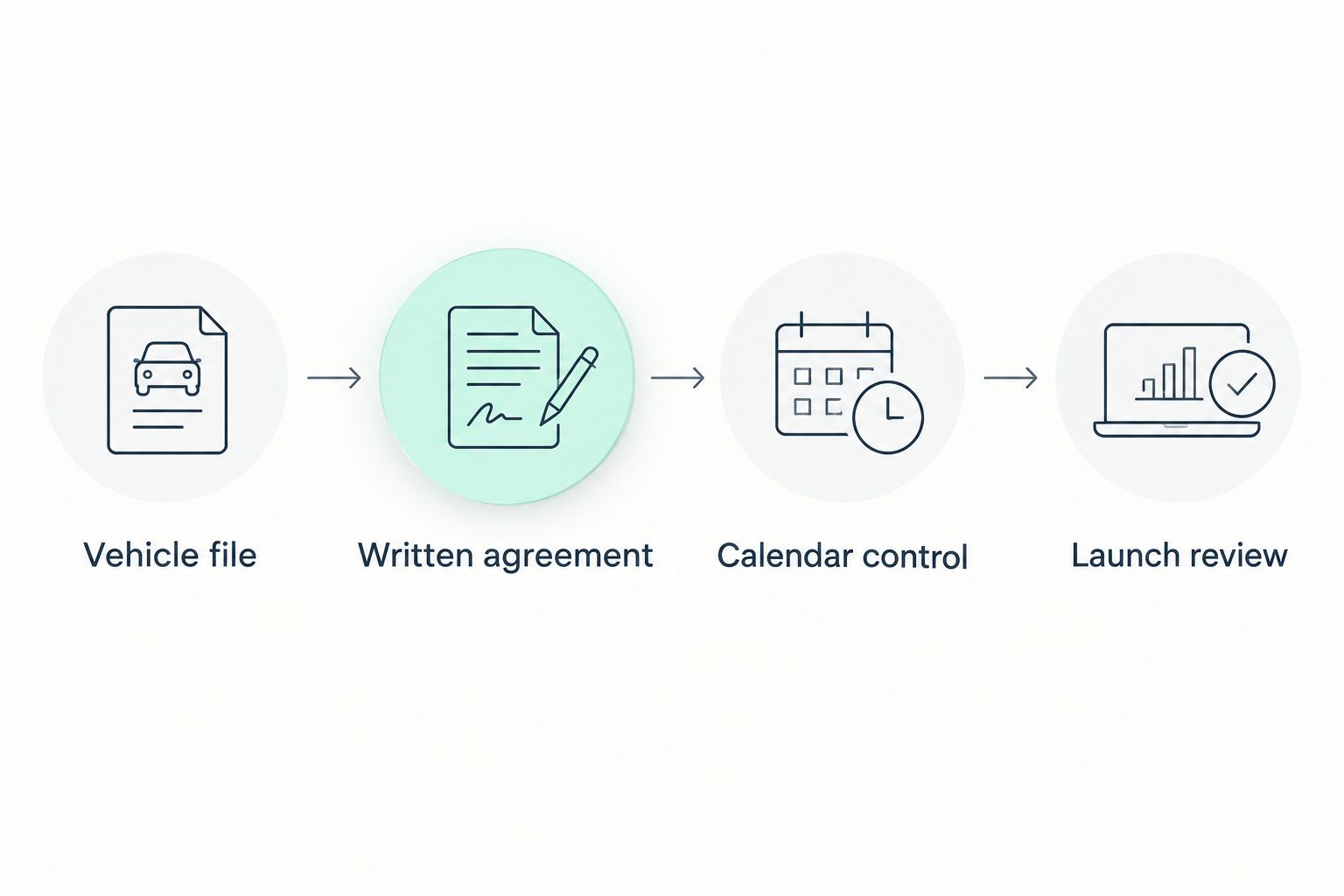
The launch review is a decision, not a deadline. Release the SUV only after the responsible people confirm that access, permissions, condition records, and handoff instructions are ready.
Private rental workflow alongside Turo
A private rental is a separate workflow, not a workaround for an unresolved Turo setup. Do not move a platform booking off-platform to bypass its requirements. Establish the private rental process independently before accepting that type of booking.
- Confirm the arrangement. Request the applicable rental agreement, screening process, insurance terms, payment responsibilities, and incident procedure. Get answers for the actual vehicle and use.
- Name the calendar controller. Assign one responsible person or process to prevent conflicting reservations across channels. Do not assume automatic calendar synchronization exists.
- Apply the same condition controls. Use a vehicle file and documented handoff for private rentals too. Keep channel-specific agreements and incident instructions distinguishable.
- Review exceptions separately. A trip extension, different return location, or additional driver request needs approval under the terms governing that booking.
Expected result: Each booking has an identified channel, governing agreement, responsible operator, and documented vehicle condition.
Review the division of Turo and private rental management duties before approving another channel. Delegating operations should clarify accountability, not create overlapping responsibilities.
Troubleshooting your first managed rentals
The SUV is needed for personal use
Check the live commitments before requesting a block. Agree how much notice the manager needs and who confirms the change; a message requesting personal use is not proof that the calendar has been updated.
For your 2026 calendar, keep owner-use requests in the same operating record as maintenance blocks. Avoid a separate text thread that the person managing bookings cannot see.
Pickup and return photographs do not match
Make the comparison repeatable: use the same vehicle areas, include close-ups of existing damage, and retain the original files. As a recommended minimum, create 2 photo sets per rental—one before release and one at return—then follow any additional documentation requirements for the booking channel.
Consistent pickup and return documentation connects an observed condition change to the handoff record rather than someone's memory. Photographs support review; they do not themselves establish coverage or responsibility.
Maintenance conflicts with a booking
Do not let calendar convenience override an unresolved safety issue. Have the responsible operator assess the issue, record the decision, and follow the booking channel's applicable process if the SUV cannot be released.
Your agreement should identify who arranges service, who approves work, and who communicates a disruption. Booking coordination and repair authorization are different responsibilities.
The owner statement is difficult to reconcile
Match each statement entry to its booking or supporting record. Ask for an explanation of unidentified adjustments rather than judging performance from gross rental receipts alone.
For your first review, follow 1 SUV for 30 days as a recommended reporting exercise. Trace its completed rentals, recorded expenses, maintenance events, and unavailable dates; this is a review method, not an earnings forecast.
Customize your workflow
Build your 2026 review around decisions you actually need to make. Separate ordinary updates from matters requiring approval so routine messages do not bury an urgent repair request.
- For an out-of-town owner: Agree where condition records and approvals will be stored and who can act when you are unreachable.
- For an owner who still drives the SUV: Define the request, confirmation, collection, and return process for personal use.
- For a growing fleet: Keep a separate condition and service record for each vehicle. Do not copy assumptions from one SUV to another.
When comparing management providers, request the same written scope from each. Compare access to decision-makers, booking coordination, maintenance responsibilities, delivery arrangements, and reporting. Do not assume a family-owned operator or a national chain includes a service without confirmation.
Drivev3's family-owned service and direct owner access give you specific features to evaluate. Bring your vehicle details, preferred operating city, current listing status, and personal-use needs to the management conversation.
Discuss your SUV management setup
Share your SUV details, operating city, and ownership goals before agreeing on responsibilities.
FAQ
How do I rent out my SUV on Turo with a manager?
Start by confirming vehicle eligibility, rental-use permission, and the manager's written responsibilities. Then establish supported account access, condition records, calendar control, and handoff procedures before launch.
Is managed Turo hosting the same as private rental management?
No. Turo hosting follows the platform's applicable requirements, while private rentals need their own confirmed operating arrangements. Do not assume agreements or protections carry across channels.
Can I still use my SUV while it is managed?
Personal use needs an agreed calendar-blocking and handoff process. Confirm the arrangement in writing and check existing commitments before planning to collect the vehicle.
Does SUV fleet management guarantee passive income?
No. Management delegates agreed operational tasks; it does not guarantee income or profitability. Owners still need to review expenses, downtime, vehicle condition, and approval requests.
Does Drivev3 serve Las Vegas, Bullhead City, and Laughlin?
Yes. Drivev3 provides vehicle rental and fleet management services in Las Vegas, Bullhead City, and Laughlin. Confirm the delivery, custody, and maintenance arrangements for your chosen location.
Can renters book directly on the management website?
Drivev3 currently sends renters to its Turo listings rather than taking website bookings or payments. A management inquiry is separate from a renter booking.
What should I ask before handing over my SUV?
Ask who controls bookings, holds the keys, approves repairs, documents condition, and handles incidents. Request the actual management and coverage terms before committing the vehicle.
One last thing
Test the exception before you approve the routine. Ask the prospective manager to explain what happens if the SUV returns with a warning light shortly before its next handoff. A clear answer should identify who assesses it, who can stop release, who approves work, and who contacts the affected renter.